- What's Up in AI
- Posts
- 3 AI Tools that help you save time & do more at work!
3 AI Tools that help you save time & do more at work!
The AI Quality Checker That Saves You From Embarrassment

What's Up in AI
December 01, 2025
In partnership with


Welcome Back, AI Geeks!
This is Edition #13 of the Weekly Tool Deep Dive 🔍️
Today's issue covers 3 tools solving problems you deal with weekly: meetings where decisions disappear into thin air, AI-generated content slipping past quality checks, and video ideas dying because editing takes too long.
Each tool includes step-by-step setups and real examples from teams who've already figured out what works. No marketing promises, just practical applications you can implement today.
Your challenge: Pick one tool and test it for 15 minutes this week.
Be the Coach Clients Can’t Wait to Join

Maxed out training hours for clients? Here’s how to make 2026 the year you grow your business without burning out.
Kajabi has helped fitness professionals generate millions in online revenue by giving them the tools, strategy, and support to scale. That’s why we’re the go-to platform for instructors shifting into hybrid and online coaching.
Take advantage of our free ‘30 Days to Launch: Scale Your Fitness Business Online’ guide that will give you the step-by-step plan to combine in-person and online programs for more income, freedom, and flexibility.
🤝 Remio AI: Stop Letting Meetings Waste Your Team's Time
What It Is

Meetings end. Confusion begins. Remio AI (founded 2023, already trusted by 5,000+ teams) fixes this by auto-joining your calls, extracting who's doing what by when, and actually following up when deadlines approach.
Why It's Trending:
Remio's context engine links discussions across multiple meetings, so when someone asks "didn't we already decide this?" it surfaces the exact conversation from three weeks ago. The AI learns your team's patterns—recognizing that Sarah usually handles design tasks and Mike owns technical implementations—and assigns action items accordingly without manual tagging.
Key Features:
Smart Auto-Join connects to your calendar and joins meetings automatically based on rules you set
Decision Extraction identifies and archives key decisions with full context, not just bullet points
Action Item Intelligence assigns tasks to the right people based on conversation context and historical patterns
Cross-Meeting Memory links related discussions across different meetings to show decision evolution
Follow-Up Automation sends deadline reminders and generates status update requests automatically
Real Example: From Meeting Chaos to Operational Excellence
A 15-person product team at a SaaS startup was drowning in "he said, she said" confusion about sprint commitments. After implementing Remio AI, every standup, sprint planning, and retro produced searchable records with clear ownership. When the CEO asked "why did we deprioritize feature X?" the PM pulled up the exact discussion from sprint planning with technical constraints and business rationale. Result: zero time wasted reconstructing past conversations, 30% reduction in duplicate work from miscommunication.
How to Set It Up

Create account at remio.ai (14-day free trial, then $15/user/month)
Authorize calendar access - connect Google Calendar or Outlook so Remio sees your schedule
Configure auto-join rules - set which meeting types to join (internal team meetings, client calls, 1:1s)
Connect your tools - link Slack for notifications, integrate Asana/Linear/Jira for automatic task creation
Set summary preferences - choose default recipients, customize action item format
Let it observe first meeting - Remio joins automatically, takes notes without interrupting
Review and refine - check the summary, adjust prompts if needed, then roll out to team
🔍️ Slop or Not: Spot AI-Generated Content Before It Ruins Your Reputation

What It Is
40% of online content is now AI-generated. Slop or Not (launched 2024, 500,000+ texts analyzed) tells you which 40% you're looking at. Built for anyone who can't afford to publish, hire, or grade AI slop disguised as human work.
💥 Why It’s Hot Right Now
Slop or Not you see exactly which phrases trigger detection and why they're suspicious. The Chrome extension lets you check any webpage text without copying—right-click, analyze, get results in seconds. False positive rate under 5% compared to 20-30% for basic detectors.
Key Features:
Pattern Highlighting shows exact phrases that triggered AI detection with color-coded severity levels
Explanation Mode tells you why each phrase is suspicious (overused by AI, unnatural syntax, generic phrasing)
Multi-Model Detection trained on ChatGPT, Claude, Gemini, and other major LLM outputs
Browser Extension lets you check content directly on any webpage with right-click menu
Batch Processing analyze multiple documents at once via CSV upload or folder scan
Real Example: Protecting Content Quality at Scale
A B2B marketing agency with 15 freelance writers started noticing their content quality declining. Using Slop or Not, they spot-checked recent submissions and discovered 6 writers were submitting AI-generated articles with minor edits. After confronting them with Slop or Not's highlighted evidence, all admitted to it. Now they run every piece through Slop or Not before client review. Quality complaints dropped to zero.
⚡ How to Use It
Visit slopornot.com (free for 10 checks/day, $9/month unlimited)
Paste your text - copy the content you want to verify into the analysis box
Hit "Analyze" - wait 15-30 seconds while Slop or Not processes the text
Review flagged phrases - see highlighted sections with color coding (red = high confidence AI, yellow = suspicious)
Read explanations - click any highlighted phrase to understand why it triggered detection
Install browser extension - add to Chrome or Firefox for one-click checking anywhere
Set up batch checking - upgrade to Pro to analyze entire folders or CSV lists
📽️ NovaFlick: Create Viral-Quality Shorts Without Touching an Editor
What It Is
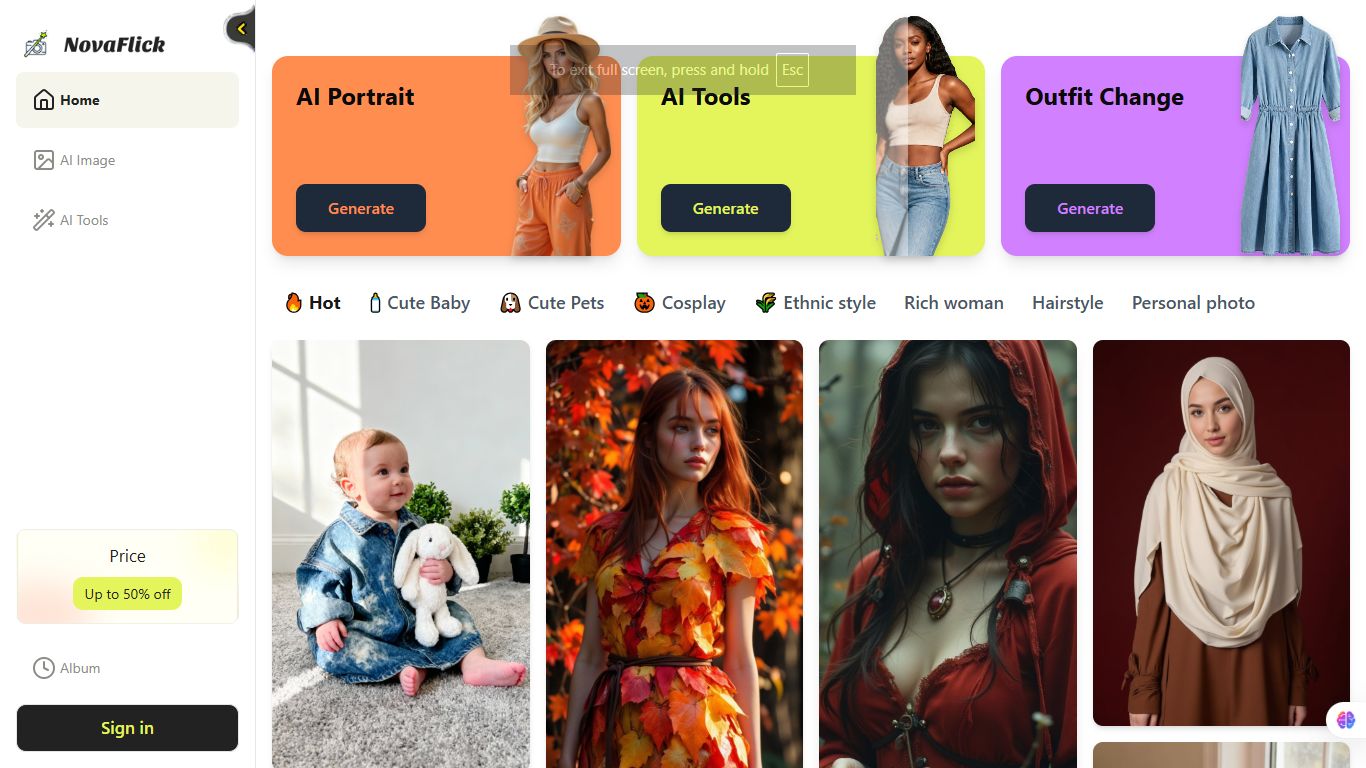
Consistent posting beats perfect editing. NovaFlick helps you post daily by generating videos from simple prompts. Describe your concept "explain compound interest with growing money tree visualization” and get platform-optimized shorts complete with text-to-speech voiceover, trendy transitions, and motion graphics. Perfect for educators, coaches, and founders who know content wins but hate editing.
🎯 Why People Love It
Retention rates on NovaFlick-generated educational videos average 68%, compared to 45% for traditional talking-head content. Python instructor used it to create 100 "60-second coding tips" videos in a weekend—his YouTube channel went from 2K to 45K subscribers in 3 months. The AI handles the hard part: translating technical concepts into visual stories that non-experts understand.
Key Features:
Educational Templates specifically designed to explain complex topics through visual storytelling
Concept Breakdown automatically splits longer explanations into digestible video series
Visual Metaphor Library suggests proven ways to visualize abstract concepts (growth = plants, complexity = mazes)
Hook Generator creates attention-grabbing opening seconds that stop the scroll
Call-to-Action Integration adds customizable CTAs that drive traffic to your links or products
Real Example: Building Authority Through Volume
A cybersecurity consultant wanted to establish thought leadership but had zero video skills. Using NovaFlick, he created 90 "security tip" videos explaining threats like phishing and ransomware with clear visualizations. Posted 3x weekly for 10 weeks. Result: Featured in industry publications, invited to speak at 2 conferences, landed 5 enterprise clients who found him through videos. Total video production cost: $87. Value of contracts won: $240K.
How to Set It Up

Sign up at novaflick.com (10 free videos to test, then $29/month unlimited)
Pick educational template - choose from "explain a concept," "before/after comparison," or "step-by-step tutorial"
Input your topic - describe what you want to teach in plain language
Select complexity level - tell NovaFlick if your audience is beginner, intermediate, or expert
Add your voice - record audio or use AI voice that matches your brand tone
Generate and review - see 3 variations with different visual approaches
Create series - use the "make more like this" feature to build out topic clusters
Turn AI Into Your Income Stream

The AI economy is booming, and smart entrepreneurs are already profiting. Subscribe to Mindstream and get instant access to 200+ proven strategies to monetize AI tools like ChatGPT, Midjourney, and more. From content creation to automation services, discover actionable ways to build your AI-powered income. No coding required, just practical strategies that work.
📣 Before You Bounce...
Hit reply and let us know:
🔥 "This was exactly what I needed - more tool breakdowns!"
👍 "Good stuff, keep these coming"
🤷 "Not my vibe, but appreciate the effort"
Know someone drowning in explanation requests? Share this with them - they'll thank you later.
We’ll be back soon with more spicy takes on What’s Happening in AI, so stay tuned & share our newsletter with a friend using this link!
Stay curious! 🤖
What's Up in AI Team